Batch and expiry tracking
Record the batch and expiry of each delivery and sell the earliest-expiring stock first.

Pharmacy POS
Sell at the counter while ZeylonPOS keeps track of batches, expiry dates and reorder levels, so nothing expires on the shelf unnoticed.
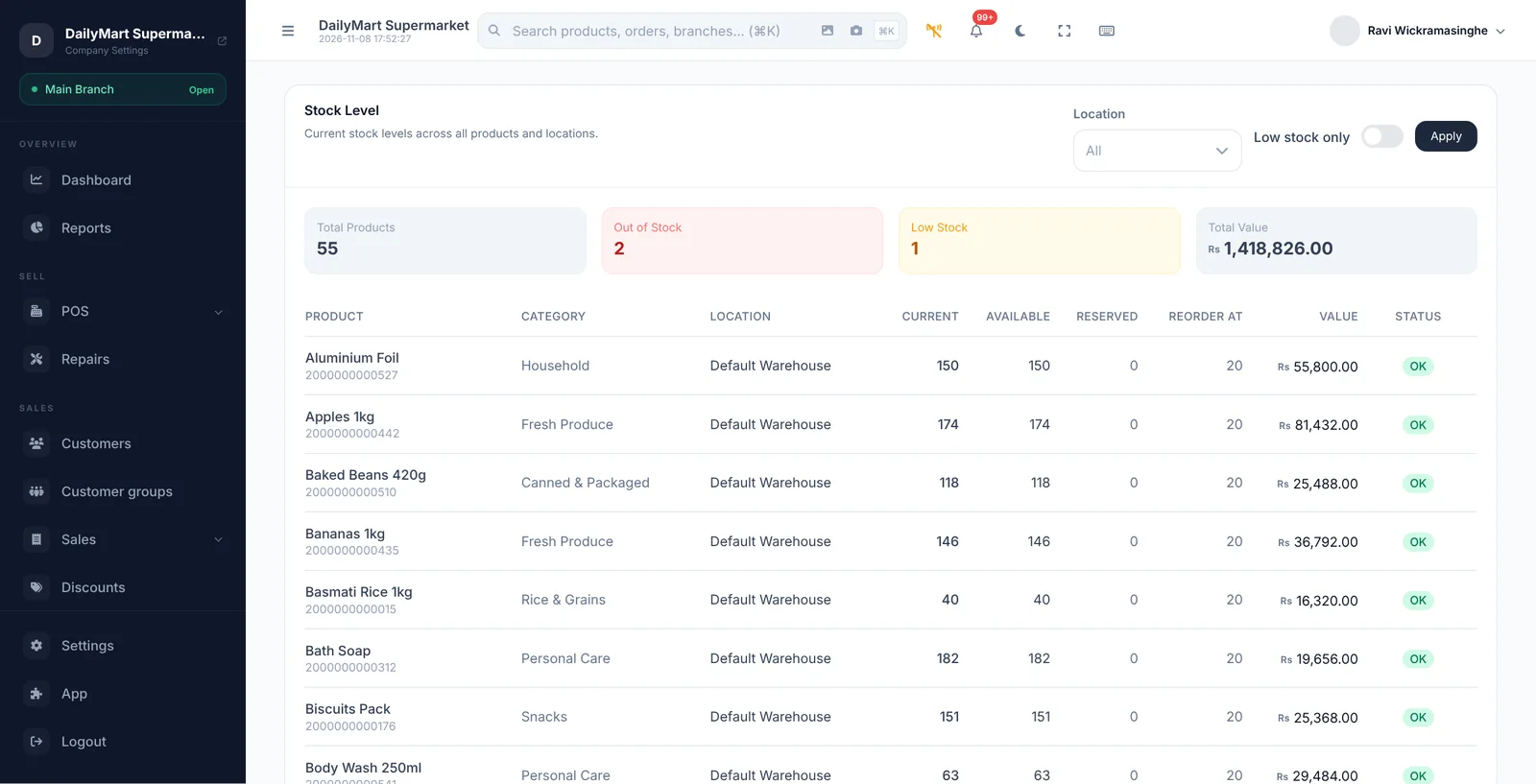
Pharmacy POS
Pharmacy POS with batch and expiry tracking, earliest-expiry-first selling, reorder alerts, supplier purchases and staff roles. Try it free.
Record the batch and expiry of each delivery and sell the earliest-expiring stock first.
See which batches are close to expiry so you can act before they are lost.
Get an alert when a product falls below the level you set.
Order from suppliers and receive stock against the purchase order.
Give cashiers, managers and accountants only the access their job needs.
Sales, stock value and movement reports for one branch or all of them.
A FEW THINGS YOU MIGHT ASK
Take a closer look before you bring ZeylonPOS into your day.
With batch tracking enabled, sales take stock from the batch that expires first, and you can see what is left in each batch.
Yes. Roles such as cashier, manager, warehouse manager and accountant each come with their own permissions, and you can adjust them per user.
YOUR NEXT GREAT BUSINESS DAY
Your counter is just the beginning. Let's grow from here.
14 days to find your flow.